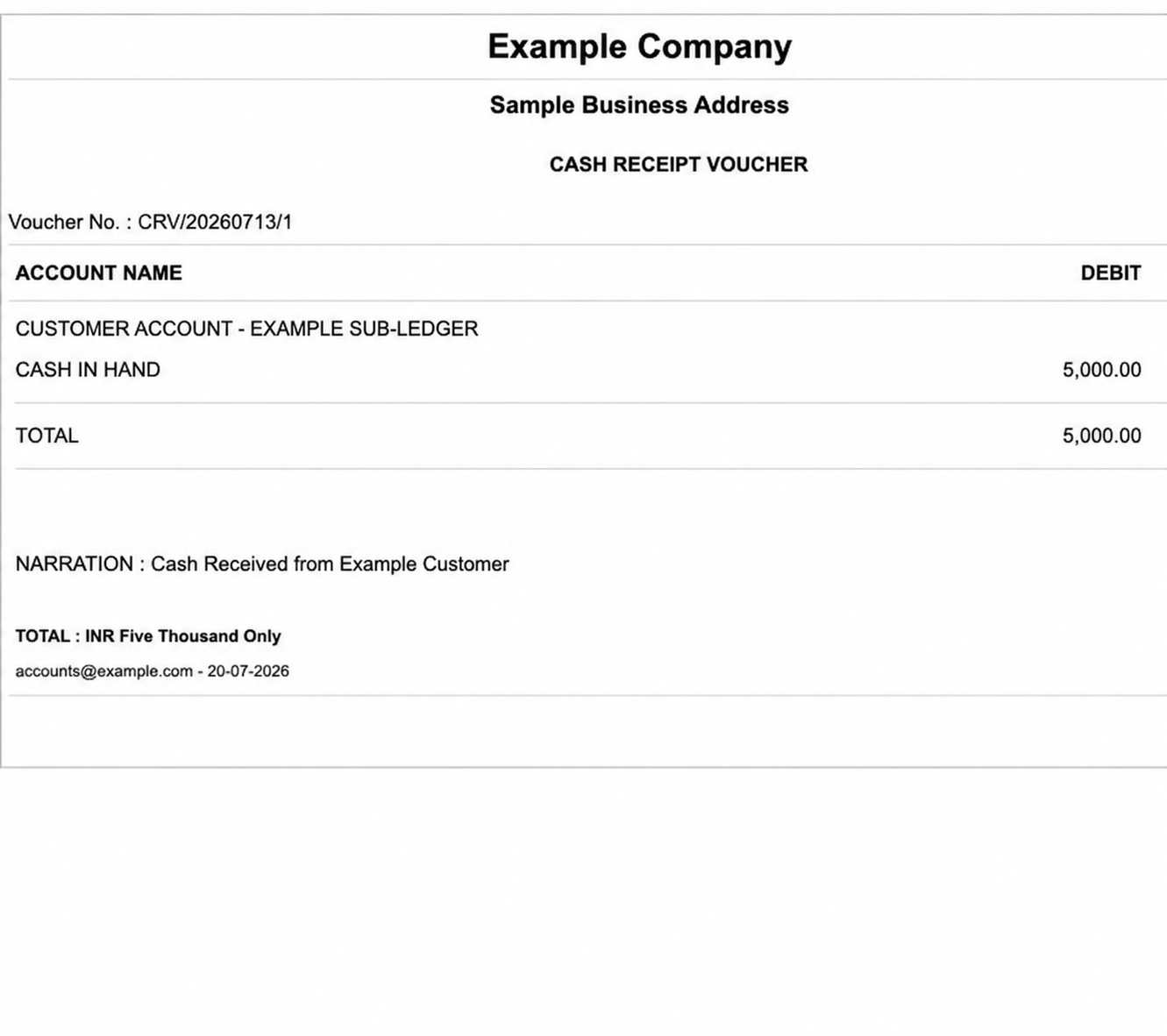
Cash Receipt Voucher (CRV)
Set the voucher date and select the cash account receiving the amount. Add a narration when needed, then enter the credit ledgers that explain the receipt.
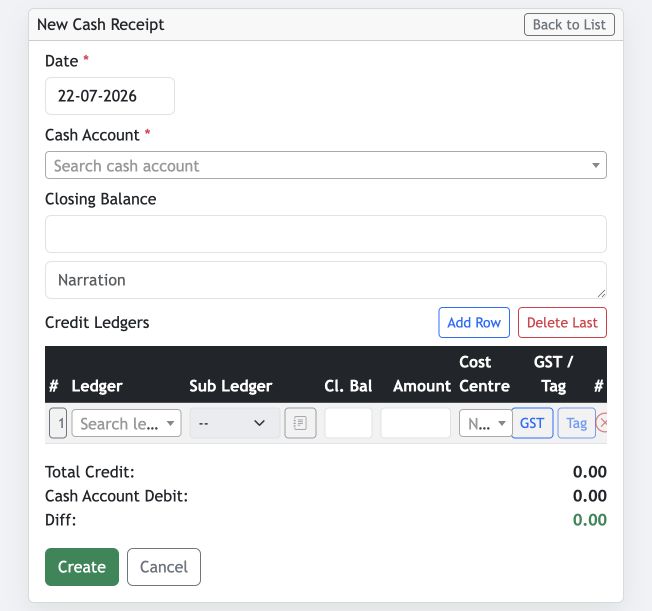
- Date and Cash Account: required voucher details. The closing balance is displayed for reference.
- Credit Ledgers: choose a ledger and, where applicable, its sub-ledger, then enter the receipt amount.
- Cost Centre, GST and Tag: record these optional dimensions when the transaction requires them.
- Add Row / Delete Last: use these actions to manage multiple credit entries before creating the voucher.
Check that Total Credit and Cash Account Debit agree and the Diff is zero. This confirms that the voucher is balanced.
Bank Receipt Voucher (BRV)
A Bank Receipt Voucher follows the same receipt-entry pattern, with the bank account receiving the amount. Use the Chq action on a voucher line to record cheque information when the receipt is made by cheque.
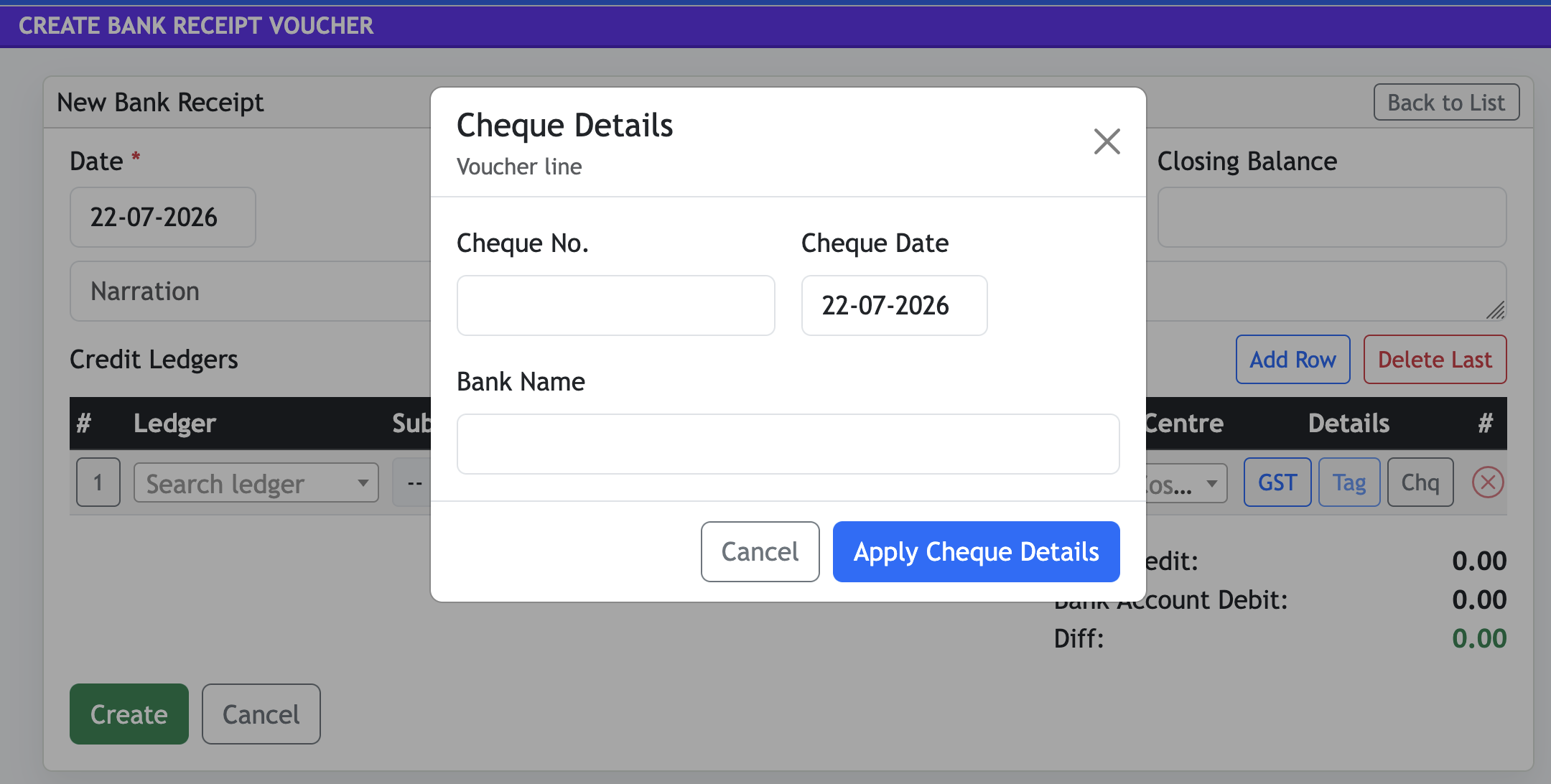
- Cheque No.: enter the cheque reference.
- Cheque Date: record the date printed on the cheque.
- Bank Name: record the issuing bank, then select Apply Cheque Details.
Journal Voucher
Use a Journal Voucher for accounting adjustments and transfers that do not involve direct cash or bank receipt/payment. Enter the date and narration, then add debit and credit ledger lines for the adjustment.
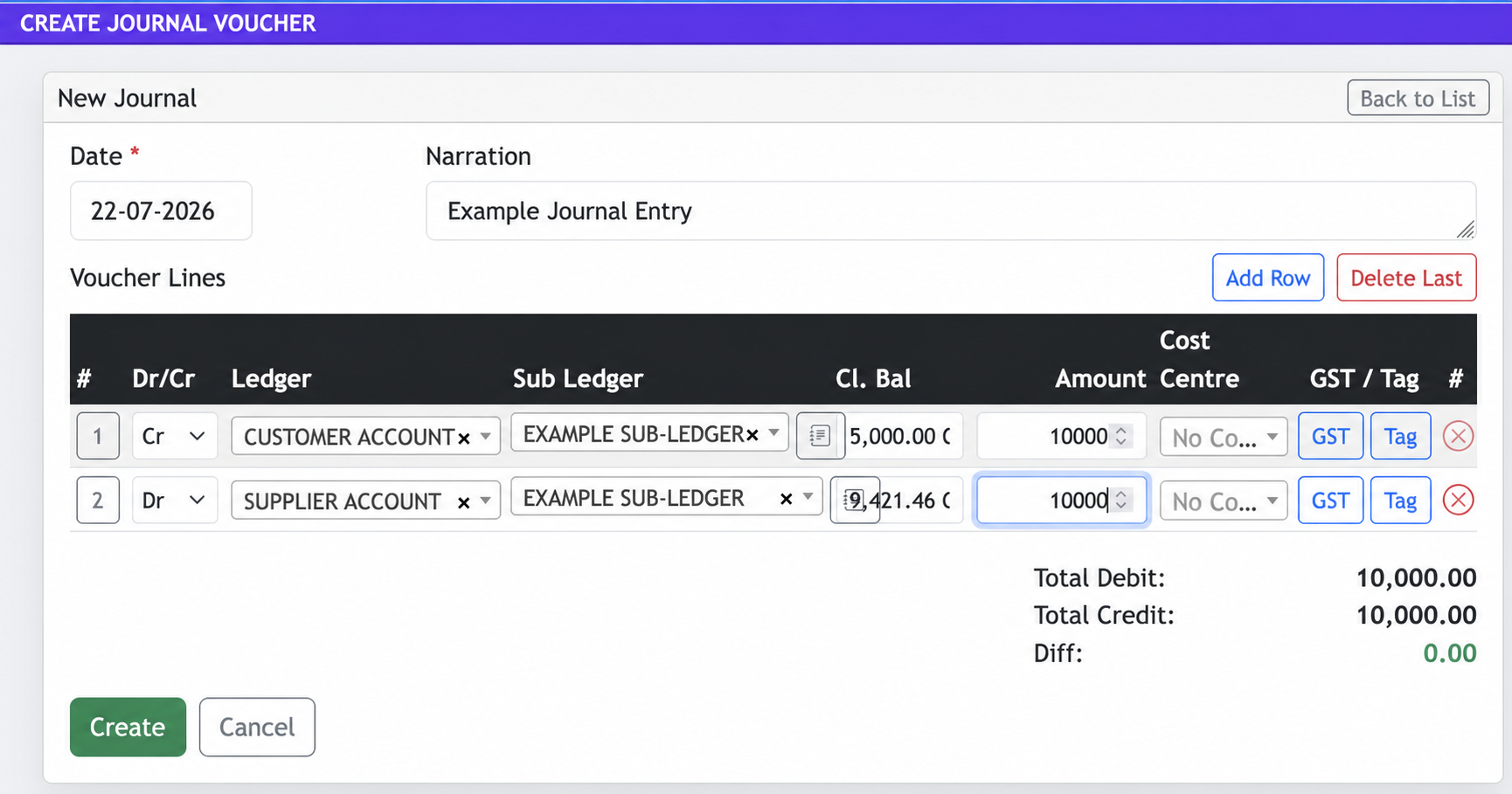
- Dr/Cr: choose whether each voucher line is a debit or credit.
- Ledger and Sub Ledger: select the accounts affected by the journal entry.
- Amount and dimensions: enter the amount and add a cost centre, GST or tag where applicable.
- Add Row / Delete Last: manage the voucher lines before creating the voucher.
Total Debit and Total Credit must be equal and the Diff must be zero.
View and manage Cash Receipt Vouchers
The Cash Receipt Voucher list shows voucher lines within the selected date range. Filter by ledger, export the results to Excel, create a new voucher or use the row actions to work with an existing voucher.
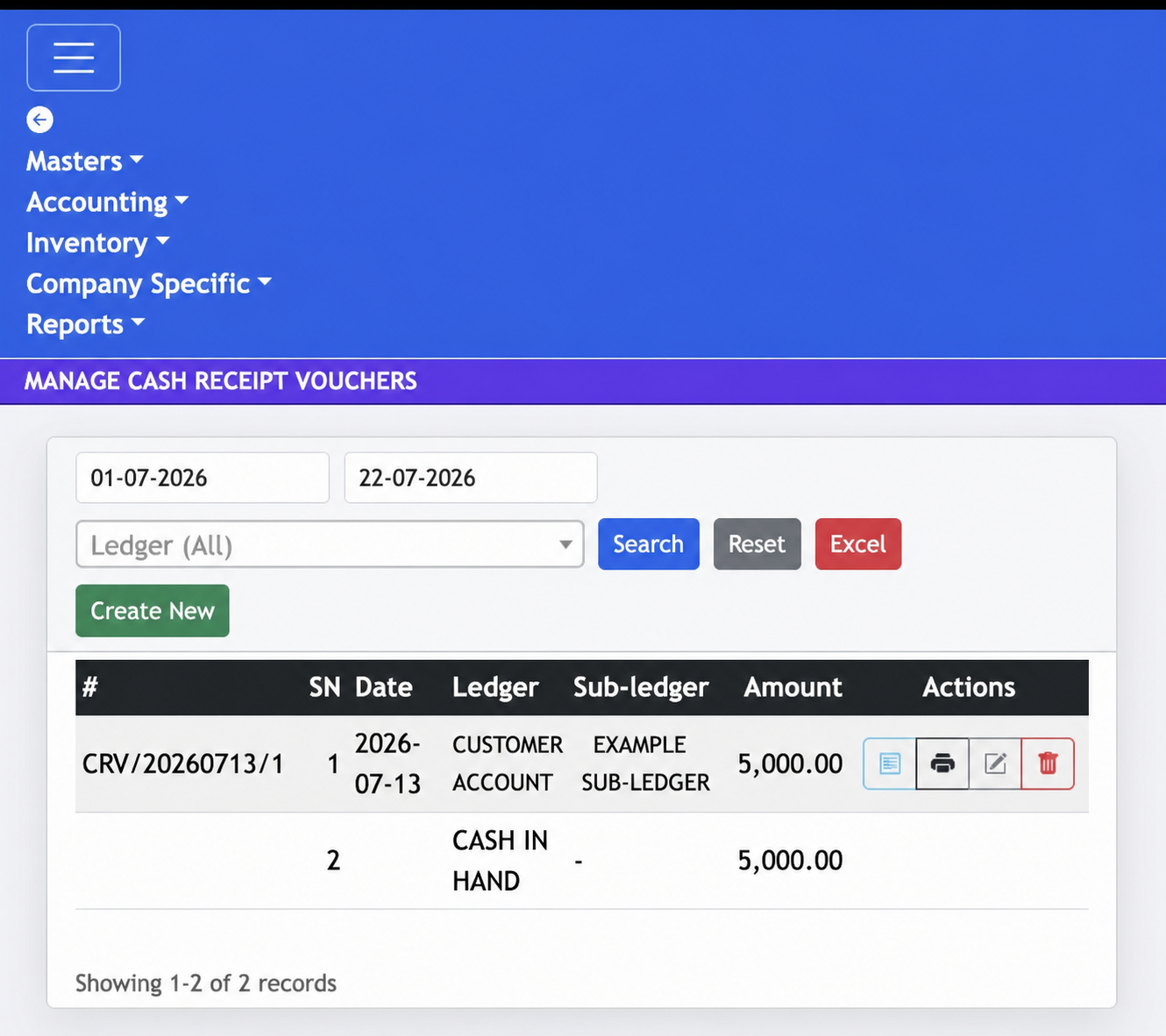
- Date and Ledger filters: narrow the voucher list before selecting Search.
- Excel: export the filtered voucher information.
- Actions: open the voucher details, print, edit or delete the voucher as permitted.
Print a voucher
The print action is common to vouchers. It opens a voucher-ready document with the company heading, voucher number, account entries, total and narration for printing or sharing.