
Ledger setup
Select the Group and Subgroup, then enter the account name and printable name. Enable Contains Sub Ledger when the main ledger will have sub-ledger records beneath it.
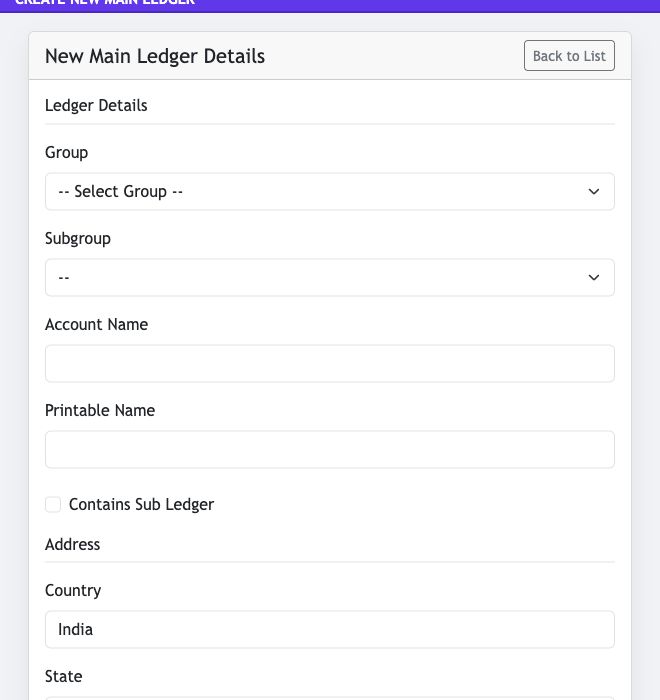
- Group and Subgroup: classify the account in the accounting structure.
- Account Name and Printable Name: define the internal and document-facing ledger names.
- Address: record location information where it applies to the account.
Contact, tax and balance details
Complete the contact and statutory information that applies to the ledger. The form also supports opening-balance setup, credit limit, remarks and billing-related configuration.
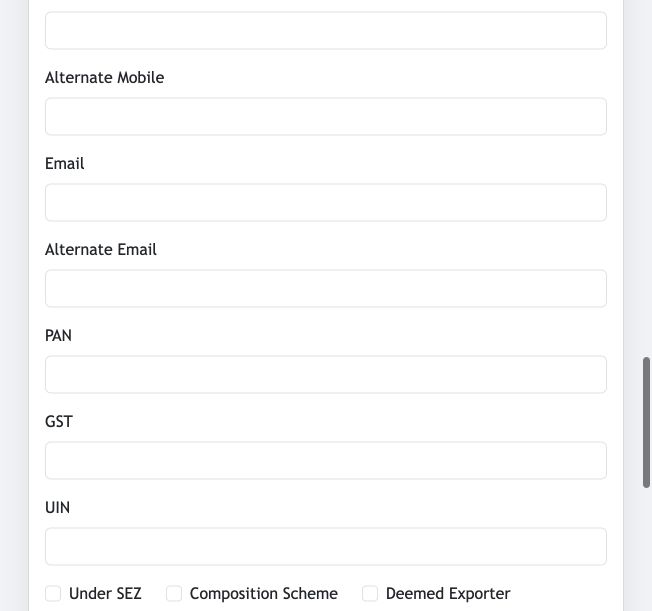
- Contact: phone, mobile, alternate contact numbers and email addresses.
- Tax: PAN, GST and UIN, along with relevant SEZ, composition-scheme and exporter options.
- Balance: choose the opening balance type, enter the opening balance and credit limit, then save after review.
Before saving
Confirm the ledger group and any Contains Sub Ledger setting carefully. These choices affect accounting classification and how related account records are maintained.
Import ledgers from Excel
Use the Excel Import page to add main ledgers in bulk. Prepare the spreadsheet in the displayed column order, choose the completed Excel file, then select Upload Excel File.
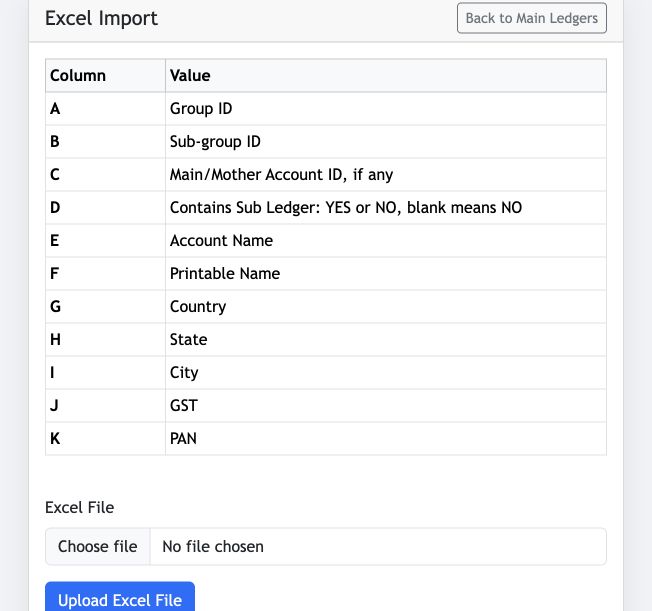
- Columns A–F: Group ID, Sub-group ID, optional Main/Mother Account ID, Contains Sub Ledger, Account Name and Printable Name.
- Columns G–K: Country, State, City, GST and PAN.
- Contains Sub Ledger: enter YES or NO; leave the cell blank to use NO.