
Item details and classification
Start with the item’s basic identification, then select the category, subcategory and unit. The item can also be enabled for multiple companies or multiple categories when the business setup requires it.
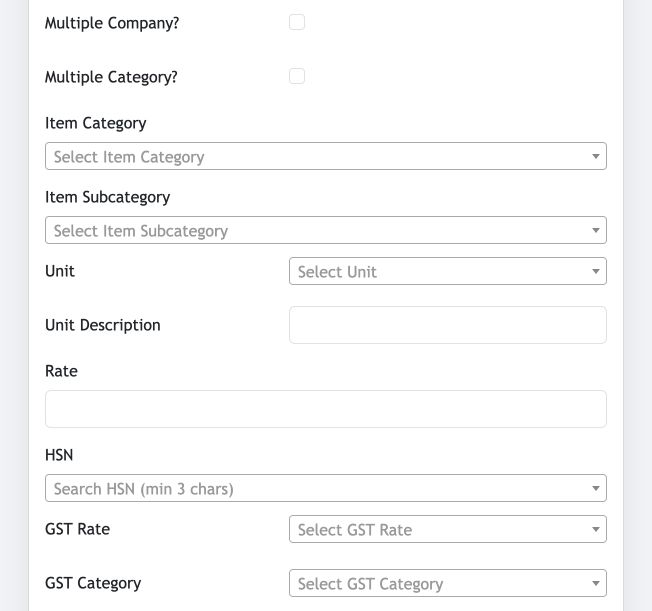
- Item Category and Item Subcategory: classify the item for organised selection and reporting.
- Unit and Unit Description: define the unit of measurement used in transactions.
- Rate: record the item’s rate where applicable.
- HSN, GST Rate and GST Category: select the applicable tax classification.
Additional fields, custom fields and images
Complete the remaining identifiers and optional fields, then add tenant-specific data or item images when these workflows are enabled.
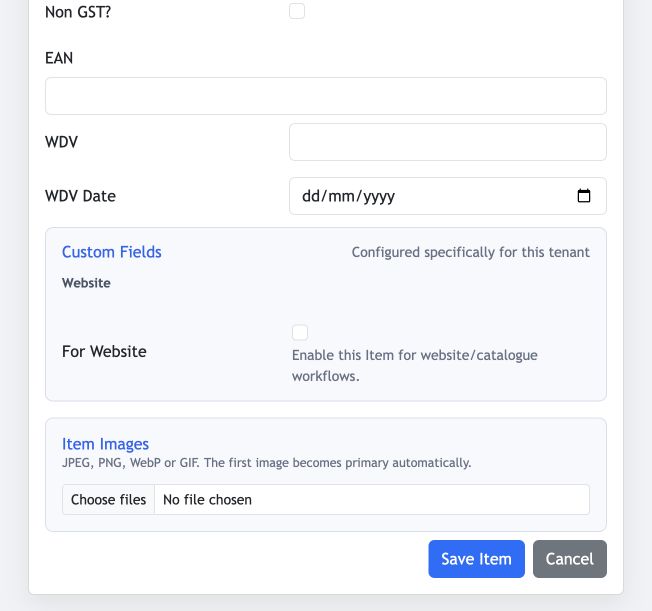
- EAN: record the barcode or EAN where it is used.
- WDV and WDV Date: enter these values when relevant to the item workflow.
- Custom Fields: fields configured specifically for the tenant appear here.
- Item Images: upload JPEG, PNG, WebP or GIF images; the first image becomes the primary image automatically.
Before saving
Verify the category, unit and tax selections. These choices affect how the item is used in transactions and reports.