
Select the Mother Account
A sub-ledger is similar to a main ledger, but it must be linked to a parent account. Select the appropriate Mother Account before entering the account and printable names.
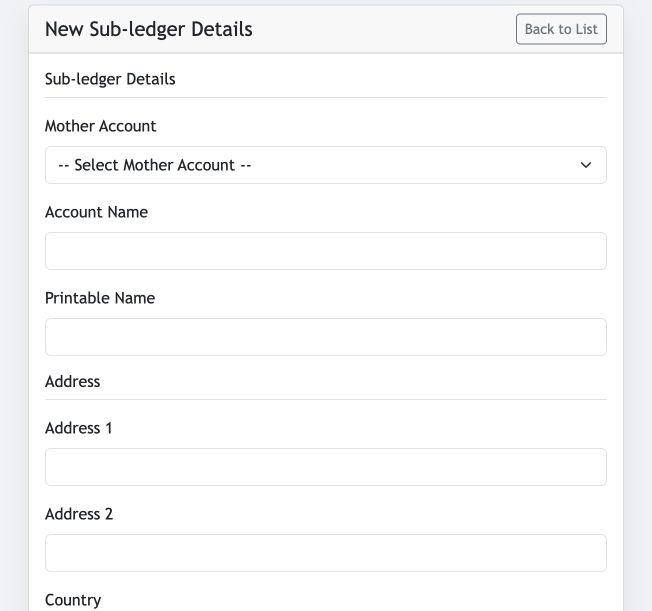
- Mother Account: the main ledger under which this sub-ledger is maintained.
- Account Name and Printable Name: define the internal and document-facing account names.
- Additional details: complete the address, contact, tax, opening-balance and credit-limit fields as appropriate.
Make the ledger available for bill adjustment
Enable Relate To Bill when this sub-ledger should be available in the Sale and Purchase Add/Less dropdown. Leave it unchecked for sub-ledgers that should not be selected there.
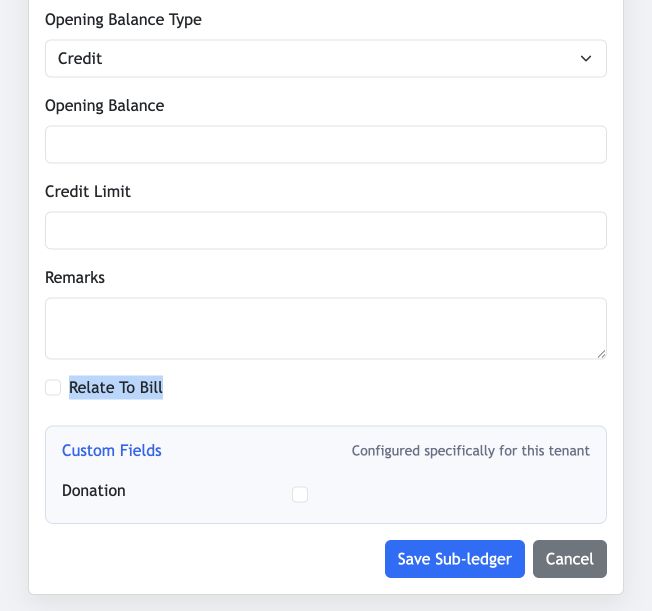
Confirm the Mother Account and Relate To Bill setting carefully. They determine the sub-ledger’s accounting hierarchy and transaction availability.
Import ledgers from Excel
The Excel Import workflow supports both main ledgers and sub-ledgers. Prepare the sheet using the displayed column layout, including the Main/Mother Account ID for each sub-ledger, then choose the file and select Upload Excel File.
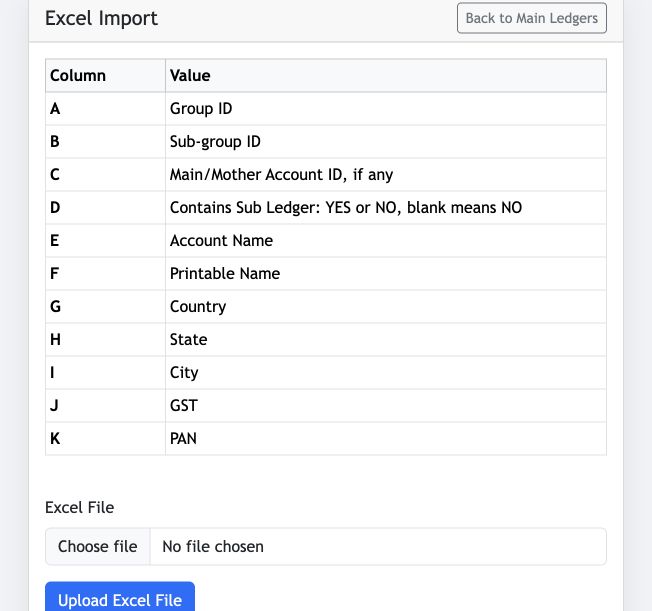
Ensure the Group ID, Sub-group ID and Main/Mother Account ID values are correct before uploading, so every imported sub-ledger is created under the intended main ledger.