
View and manage stores
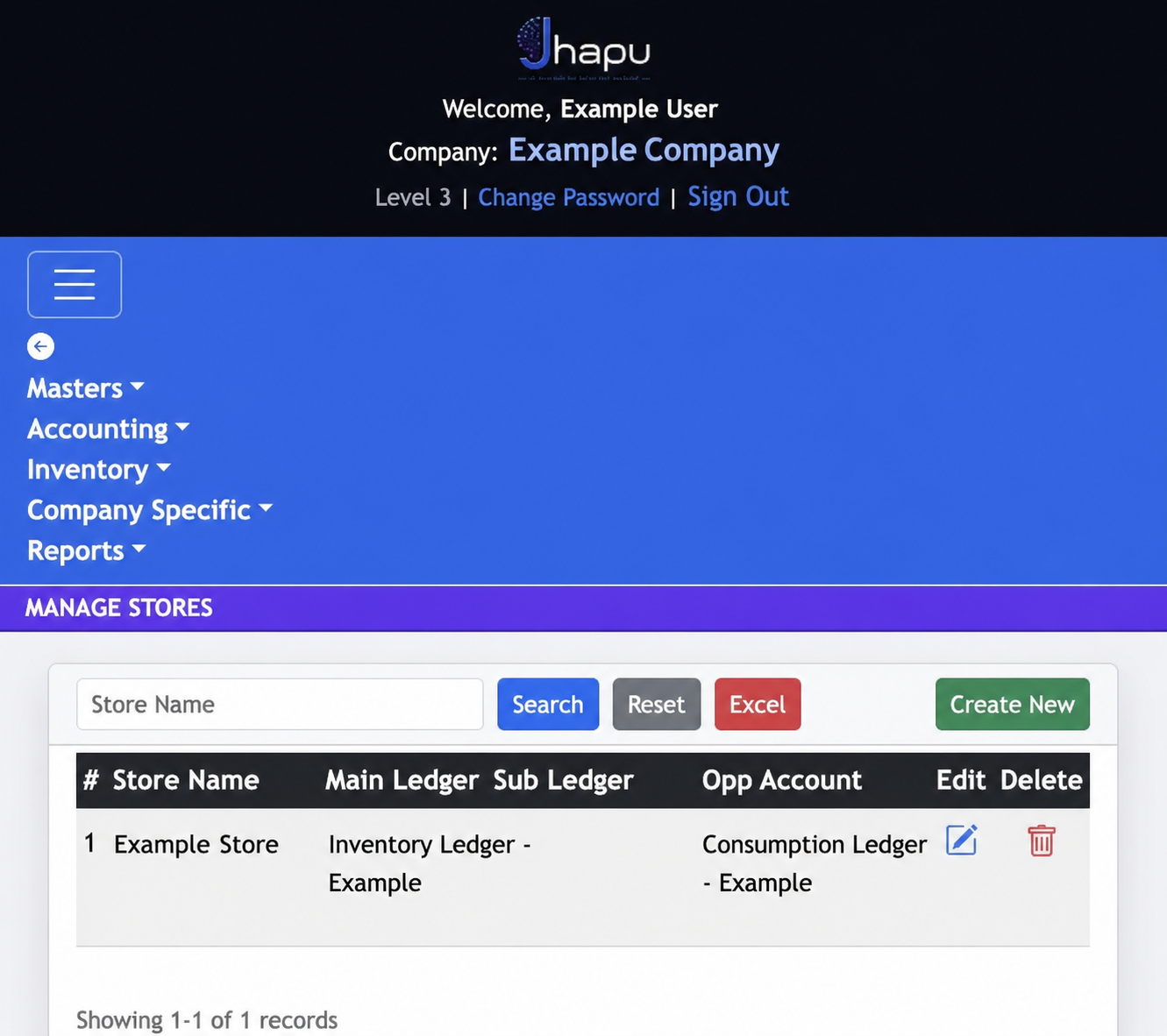
Manage Stores shows the stores configured for the selected company. Search by store name, export the list to Excel, or choose Create New to add a store.
Create a store
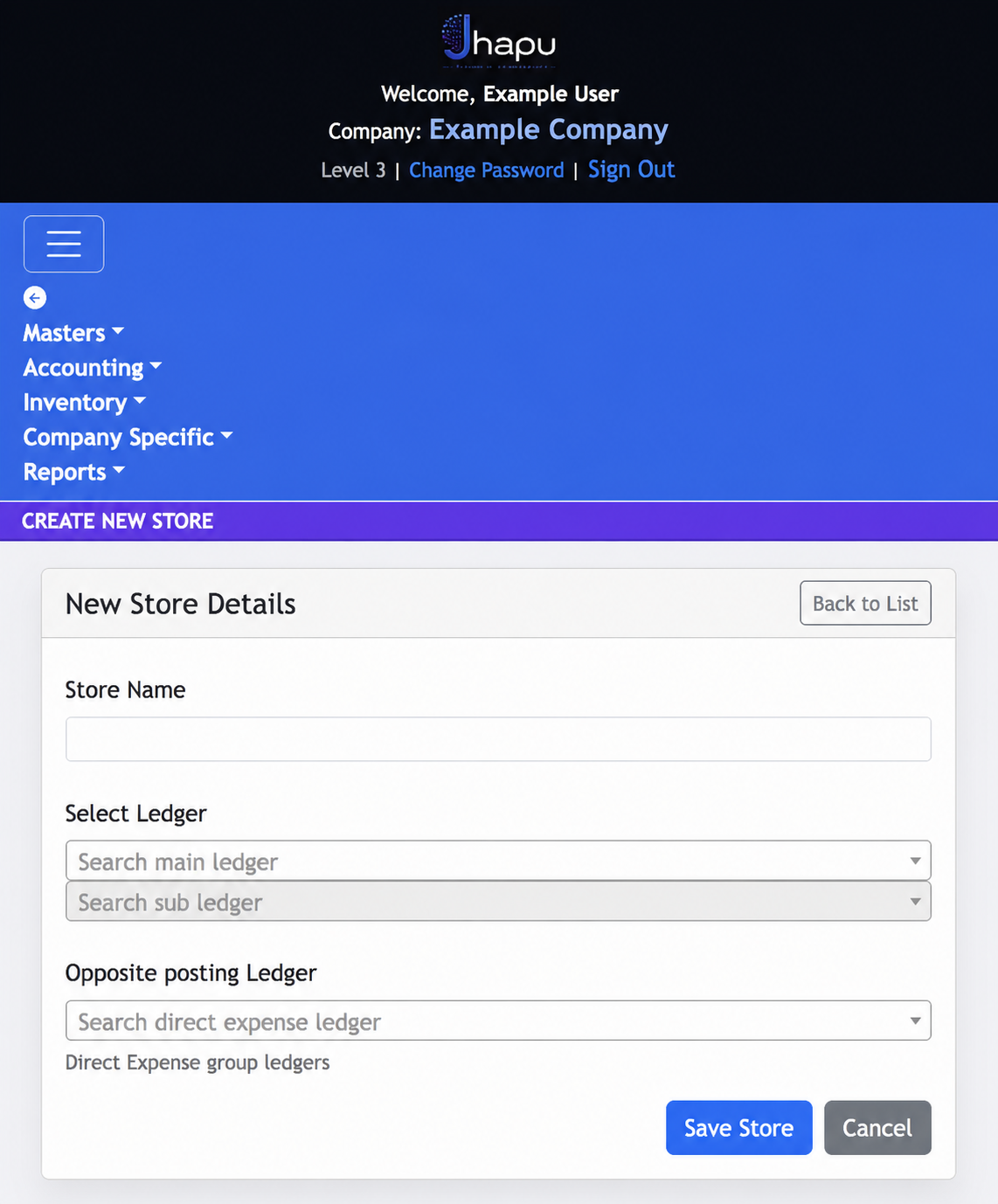
Choose Create New, enter the store name, then select the main and sub ledgers that will be associated with the store. Select the opposite posting ledger before saving.
Store configuration
- Main Ledger and Sub Ledger: identify the accounting records associated with the store.
- Opp Account: shows the opposite account used in the store’s inventory posting setup.
- Create New, Edit and Delete: maintain store definitions as inventory operations change.
Set up carefully
Review the ledger assignments before saving a store, as they are used for inventory-related accounting entries.